My Wazuh Home Lab Monitoring Project
How I built a home security monitoring system using Wazuh, an open-source security platform for threat detection, integrity monitoring, and incident response.
What is Wazuh?
Wazuh is an open-source security platform that provides unified SIEM (Security Information and Event Management) and XDR (Extended Detection and Response) capabilities. Built on top of the battle-tested OSSEC HIDS (Host-based Intrusion Detection System), Wazuh extends its functionality with modern features like threat intelligence integration, regulatory compliance monitoring, and cloud security.
As a security enthusiast building a home lab, I wanted enterprise-grade security monitoring without the enterprise-grade price tag. Wazuh delivers exactly that, offering the same capabilities used by Fortune 500 companies, completely free and open-source.
Why Implement Wazuh in a Home Lab?
Implementing Wazuh in my home lab environment provides several critical benefits:
- Real-time Threat Detection: Monitor all systems for suspicious activities, unauthorized access attempts, and potential security breaches
- Vulnerability Management: Automatically detect outdated software and known CVEs across all monitored systems
- File Integrity Monitoring: Track unauthorized changes to critical system files and configurations
- Compliance Monitoring: Ensure systems meet security standards like PCI-DSS, HIPAA, and GDPR
- Centralized Log Management: Aggregate and analyze logs from all systems in one unified dashboard
- Hands-on Security Experience: Learn industry-standard SIEM tools and security operations practices
Architecture and Deployment Strategy
My Wazuh deployment follows a distributed architecture with three main components:
- Wazuh Manager: The central server running on a dedicated Ubuntu VM in Proxmox, handling event processing, rule evaluation, and agent management
- Wazuh Indexer: Based on OpenSearch, storing and indexing all security events for fast searching and analysis
- Wazuh Dashboard: Web-based interface providing visualization, alerting, and reporting capabilities
- Wazuh Agents: Lightweight agents deployed on monitored systems (my main workstation and web server VM)
Installation Process
I installed Wazuh on a dedicated virtual machine within my Proxmox environment. I chose Ubuntu Server 22.04 LTS as the operating system due to its stability, extensive community support, and long-term security updates.
VM Specifications
- CPU: 4 cores
- RAM: 8 GB (minimum 4 GB required)
- Storage: 50 GB SSD
- Network: Bridged adapter for easy access from other systems
Installation Steps
The installation process was straightforward thanks to Wazuh's all-in-one installation script. I used the official Wazuh documentation which provides automated installation scripts that handle all dependencies and configuration.
The installation script automatically deployed all three components (Manager, Indexer, and Dashboard) on a single node, perfect for home lab environments. For production or larger deployments, Wazuh supports distributed architectures with separate servers for each component.
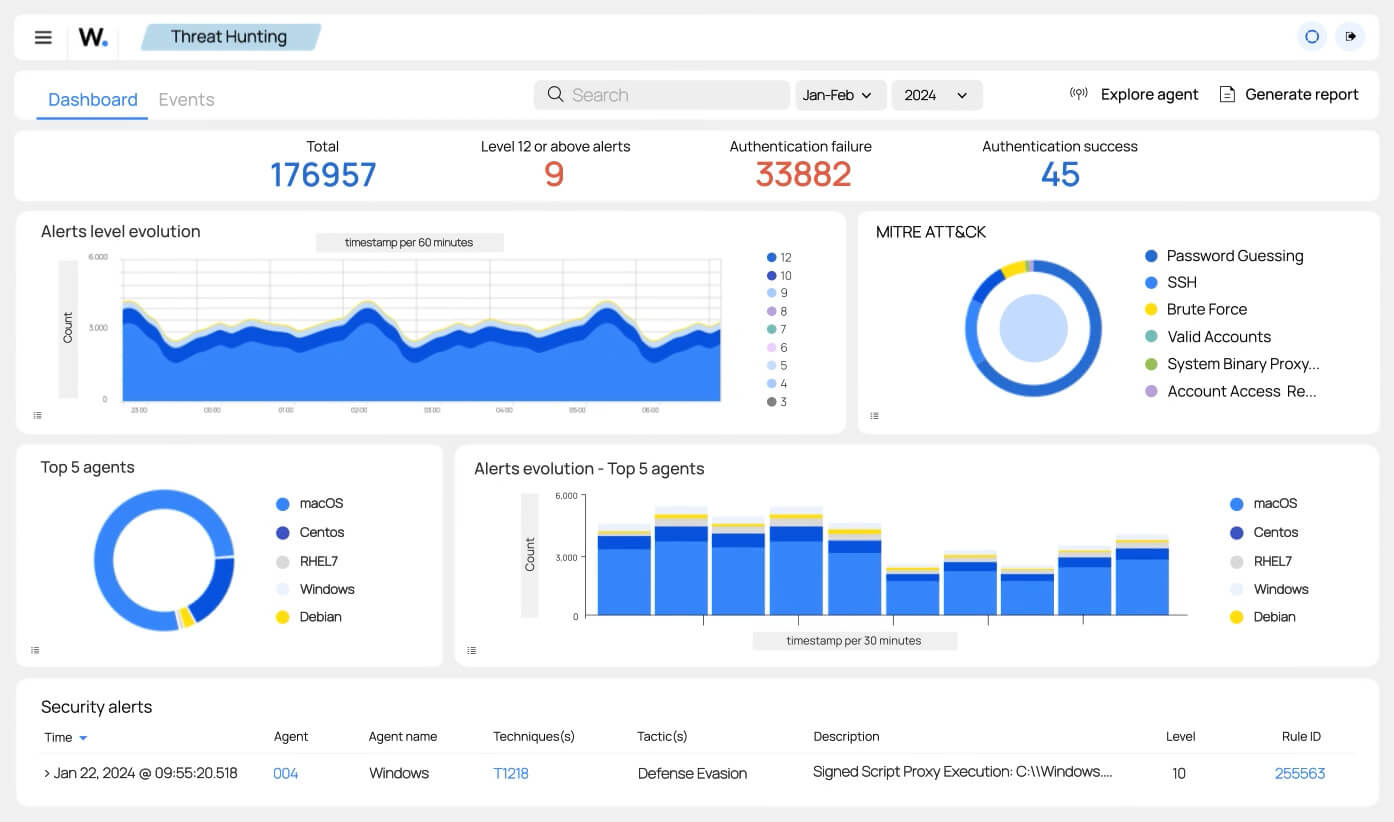
Agent Deployment
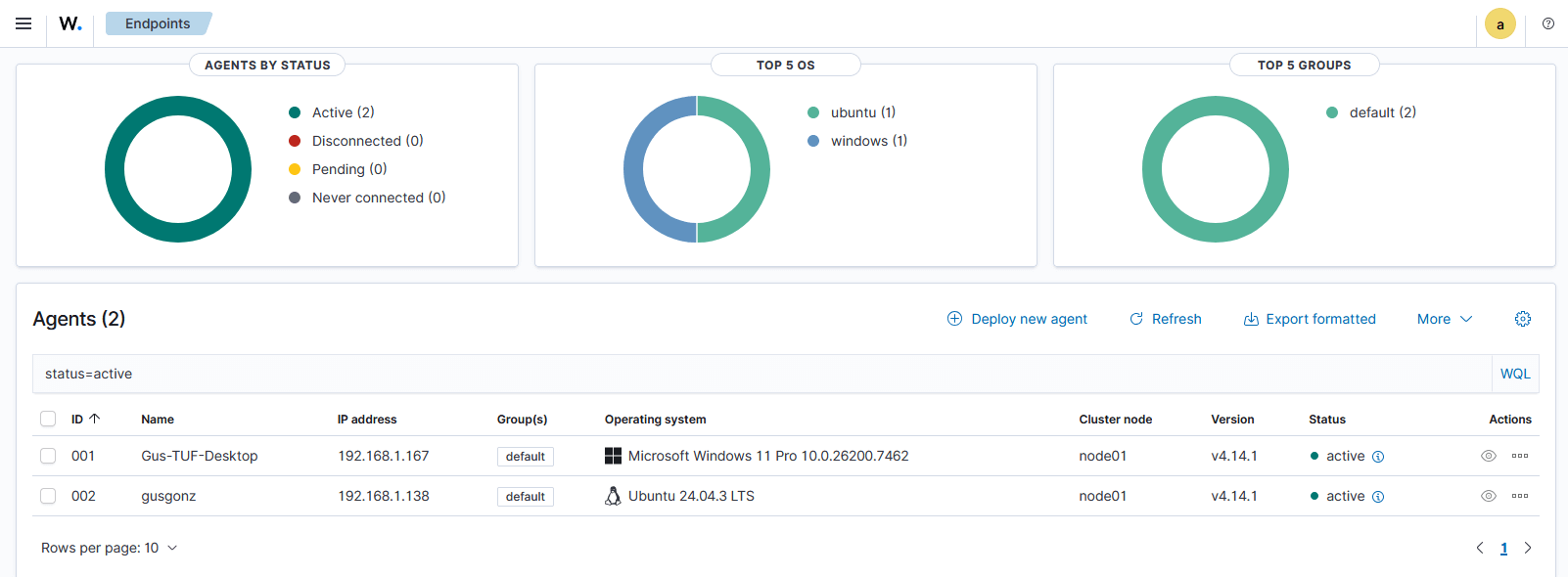
Once the Wazuh manager was up and running, I deployed agents on the systems I wanted to monitor. The agent deployment process is remarkably simple, with the Wazuh dashboard providing pre-configured installation commands for different operating systems.
I deployed agents on:
- Windows Workstation: My primary desktop computer for monitoring user activity, application behavior, and potential malware
- Ubuntu Web Server VM: My Apache web server to monitor web traffic, detect attacks, and track file integrity
The agents automatically connect to the manager, begin collecting security data, and report back in real-time. Agent communication is encrypted using AES encryption, ensuring secure data transmission even across untrusted networks.
Vulnerability Detection in Action
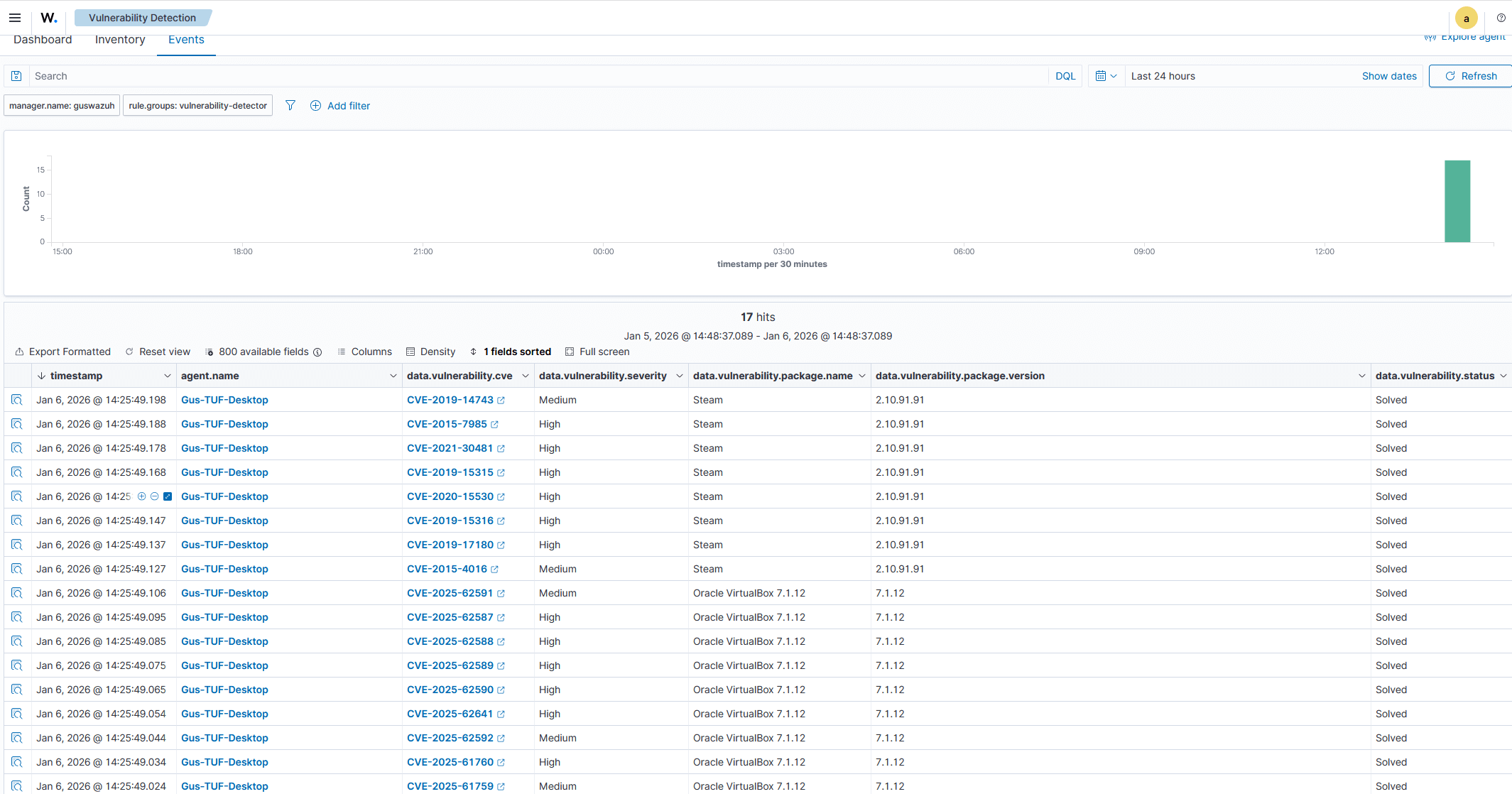
Among Wazuh's many powerful features, I immediately focused on its Vulnerability Detection capabilities. This module automatically scans all monitored systems for known vulnerabilities by comparing installed software versions against CVE (Common Vulnerabilities and Exposures) databases.
The results were eye-opening. Within minutes of deploying the agent on my main workstation, Wazuh identified numerous outdated applications with known security vulnerabilities. Many of these were programs I had forgotten about or hadn't realized needed updating.
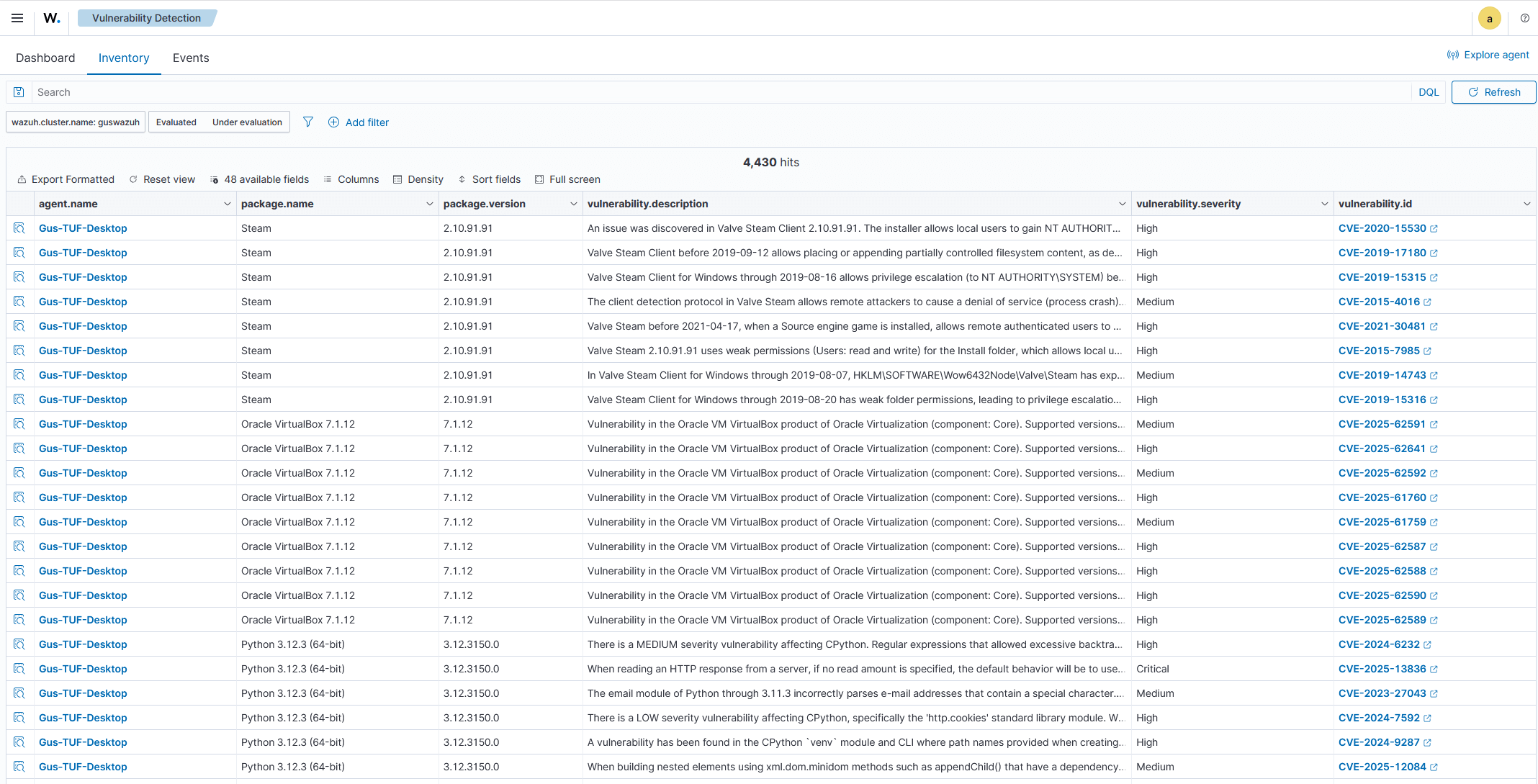
Discovered Vulnerabilities
The vulnerability scan revealed several critical and high-severity issues:
- Outdated web browsers with known XSS and remote code execution vulnerabilities
- Legacy software versions with unpatched security flaws
- Deprecated libraries that could be exploited by attackers
- System utilities with privilege escalation vulnerabilities
Each vulnerability came with detailed information including CVE numbers, severity ratings (CVSS scores), affected packages, and remediation recommendations. This actionable intelligence made it easy to prioritize and address the most critical issues first.
Remediation and Security Improvement
Armed with comprehensive vulnerability data, I systematically addressed each security issue. I updated software where possible, removed unnecessary applications that posed security risks, and implemented additional hardening measures recommended by Wazuh.
The improvement was dramatic. After remediation, I ran another vulnerability scan and saw the number of critical vulnerabilities drop to nearly zero. This significantly reduced my attack surface and improved the overall security posture of my home lab.
File Integrity Monitoring (FIM)
Beyond vulnerability detection, I configured Wazuh's File Integrity Monitoring to track changes to critical system files and directories. FIM alerts me whenever files are created, modified, or deleted in monitored locations, helping detect unauthorized changes or potential malware activity.
Key directories I monitor include:
- System configuration files (
/etc,C:\Windows\System32) - Web server document root and configuration
- SSH keys and authentication files
- Application binaries and libraries
- User home directories for sensitive files
Security Event Analysis and Alerting
Wazuh continuously analyzes security events using a comprehensive ruleset covering thousands of attack patterns, compliance requirements, and security best practices. When suspicious activity is detected, Wazuh generates alerts with detailed context.
I configured custom alert rules for scenarios relevant to my home lab:
- Failed SSH login attempts (potential brute force attacks)
- New user account creation or privilege escalation
- Web server attacks (SQL injection, XSS, directory traversal)
- System service start/stop events
- File modifications in protected directories
- Network port scans or unusual outbound connections
Integration with My Infrastructure
Wazuh integrates seamlessly with other components of my home lab:
- Cloudflare: Analyzing WAF logs for web application attacks
- Apache Web Server: Monitoring access logs and detecting attacks
- Proxmox: Tracking virtual machine events and host security
- Docker Containers: Monitoring containerized applications including n8n
Dashboard and Reporting
The Wazuh dashboard provides intuitive visualization of security data through pre-built dashboards and custom visualizations. I regularly review:
- Security Events Overview: Real-time summary of alerts by severity
- Vulnerability Dashboard: Current vulnerability status across all systems
- File Integrity Monitoring: Recent file changes and their context
- Compliance Dashboards: Adherence to security frameworks like CIS benchmarks
- Agent Health: Monitoring agent connectivity and performance
Performance and Resource Usage
Wazuh runs efficiently on my home server infrastructure:
- Manager VM: CPU usage typically 10-20%, with 4-6 GB RAM utilized
- Agent overhead: Minimal impact, typically 1-2% CPU and 100-200 MB RAM per monitored system
- Storage: Log retention of 90 days uses approximately 20-30 GB depending on event volume
- Network bandwidth: Negligible, agents compress data before transmission
Lessons Learned
Implementing Wazuh in my home lab taught me valuable lessons about security operations:
- Visibility is critical: You can't protect what you can't see. Wazuh provides comprehensive visibility across all systems
- Automated vulnerability management saves time: Manual security audits are tedious; automation ensures nothing is missed
- False positives require tuning: Initial deployment generated many alerts that needed refinement for my specific environment
- Log correlation is powerful: Wazuh's ability to correlate events across multiple systems helps identify sophisticated attacks
- Documentation is essential: Wazuh's extensive documentation made learning and troubleshooting much easier
Future Enhancements
I plan to expand my Wazuh deployment with:
- Active Response: Automated responses to threats like blocking IPs after failed login attempts
- Cloud Integration: Monitoring my Cloudflare configuration and external services
- Custom Rules: Developing rules specific to my home lab applications and use cases
- Threat Intelligence: Integrating external threat feeds for enhanced detection
- Integration with n8n: Automating incident response workflows using n8n automation
- Additional Agents: Deploying agents on IoT devices and additional VMs as my lab grows
Conclusion
Wazuh has transformed my home lab from a collection of systems into a monitored, secure environment with enterprise-grade security capabilities. The visibility and control it provides are invaluable for both security and learning purposes.
This project demonstrates that powerful security monitoring doesn't require expensive commercial solutions. With Wazuh, anyone can implement sophisticated threat detection, vulnerability management, and compliance monitoring in their home lab.
If you're serious about learning cybersecurity or want to secure your home infrastructure, I highly recommend giving Wazuh a try. It's been one of the most impactful additions to my home lab, and I'm just scratching the surface of its capabilities.